Keep writing your own software
How a painfully slow Sony VAIO P became the little writing machine I always wanted—and why I ended up building the same app for Mac and iPad.
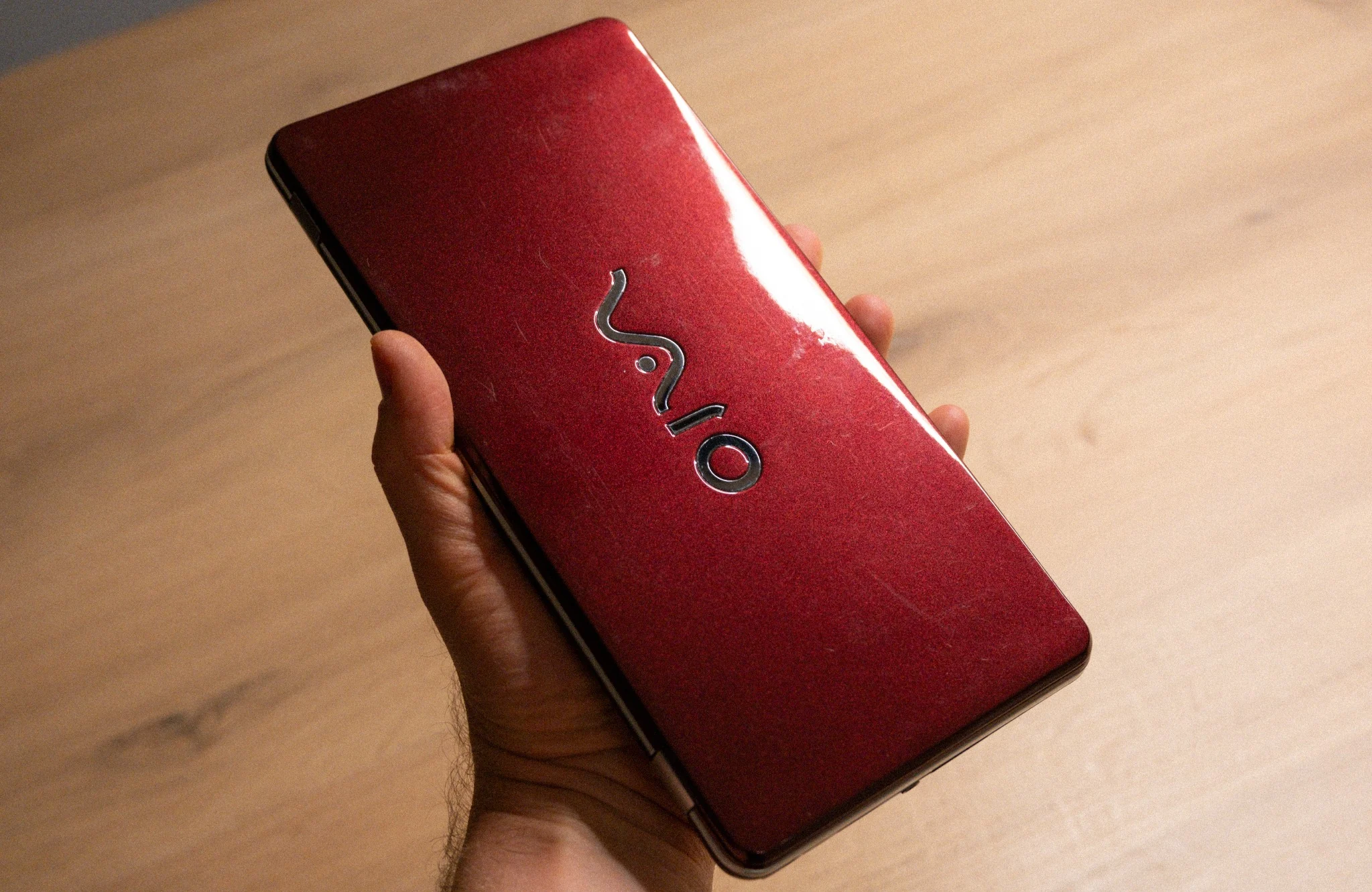
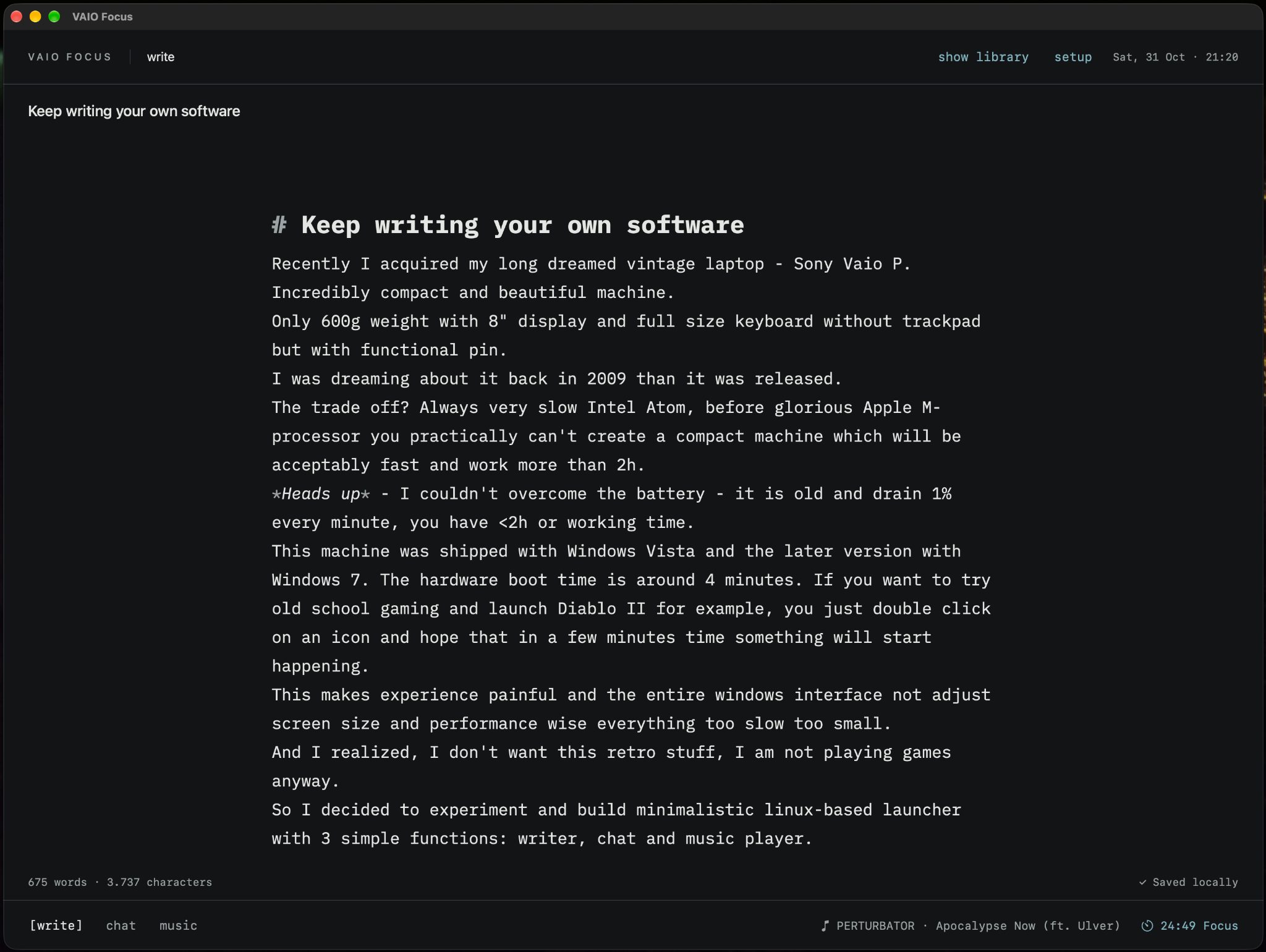
I recently acquired a laptop I'd been dreaming about since 2009: the Sony VAIO P. It's an incredibly compact and beautiful little machine, weighing around 600 grams, with an 8-inch display and a surprisingly usable keyboard. There's no trackpad; instead, you get a tiny pointing stick in the middle of the keyboard.
The trade-off? That Intel Atom processor was painfully slow even back then. Before Apple Silicon, making a laptop this small without sacrificing performance and battery life was quite a challenge.
My VAIO originally shipped with Windows Vista, and later models came with Windows 7. On this hardware, booting Windows could take around four minutes. Want to try some old-school gaming and launch Diablo II? Double-click the icon and hope something happens in the next couple of minutes.
The interface feels cramped, the machine struggles with nearly everything, and the battery hasn't aged gracefully either. Mine drains at roughly 1% per minute. No software optimization is going to fix that.
And then I realized: I don't actually want the retro-computing experience. I barely play games these days. I just wanted a reason to use this lovely little machine.
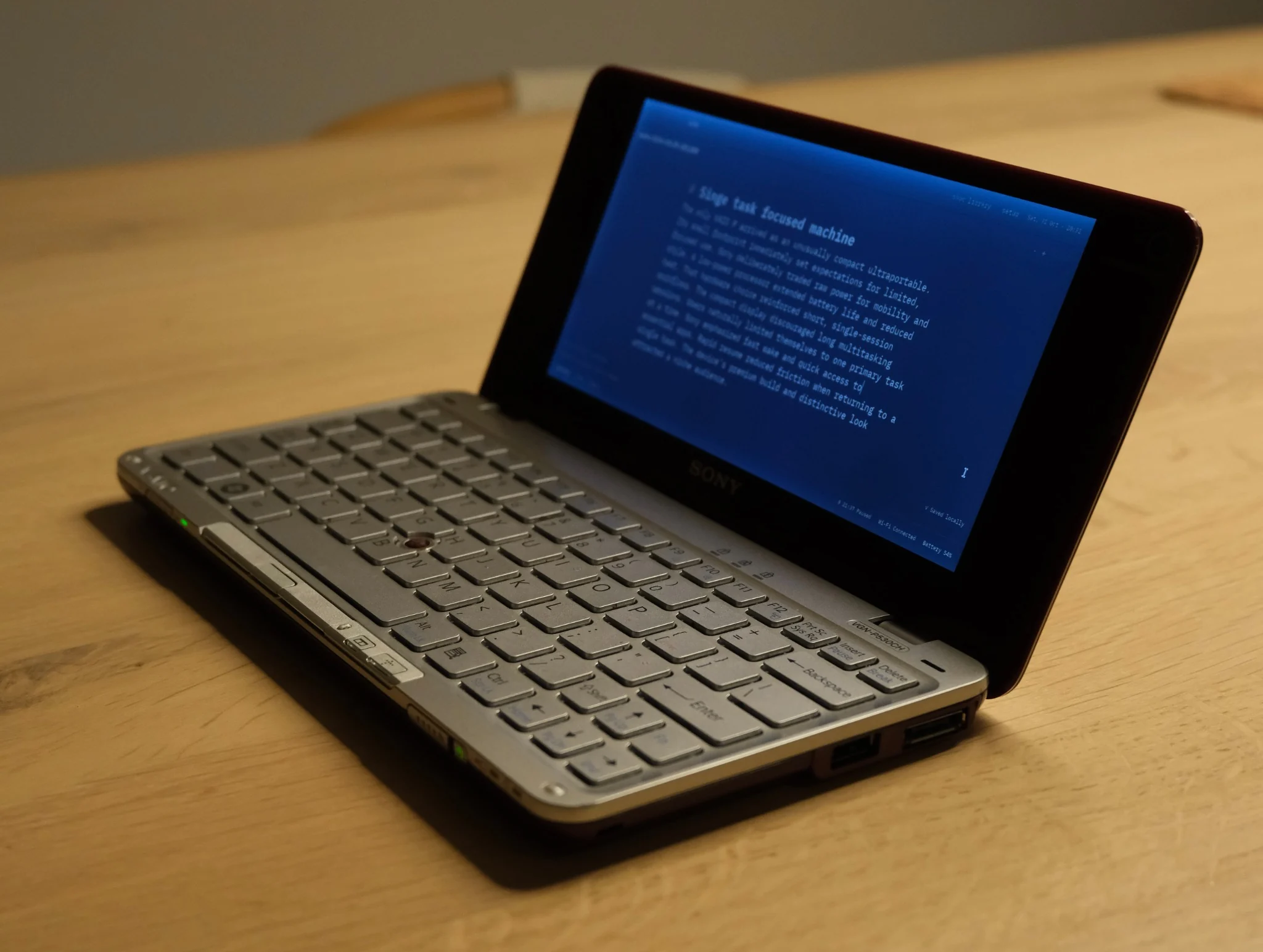
A machine for one thing at a time
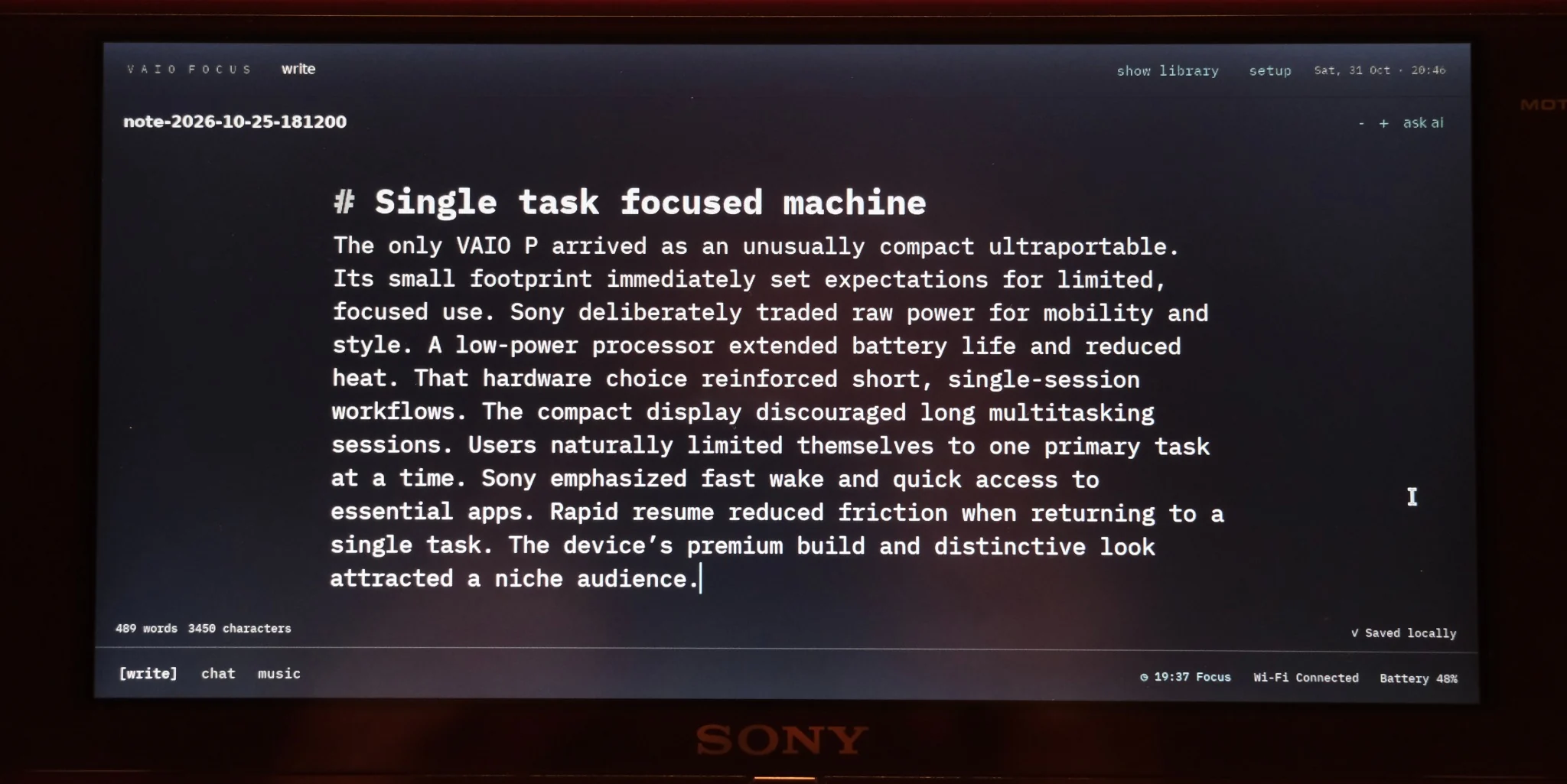
So I decided to experiment: install a lightweight Linux setup and build a minimal application with just three main functions—writing, chat, and music—plus a small Pomodoro timer.
What I wanted was a focused writing machine. Something with the simplicity of iA Writer, one of my favorite writing apps on macOS, but tailored to my own habits. No unnecessary windows, no clutter, just a place to think and write.
After a few conversations about the visual style and several iterations with Codex, I had a stable working version. I called it VAIO Focus.
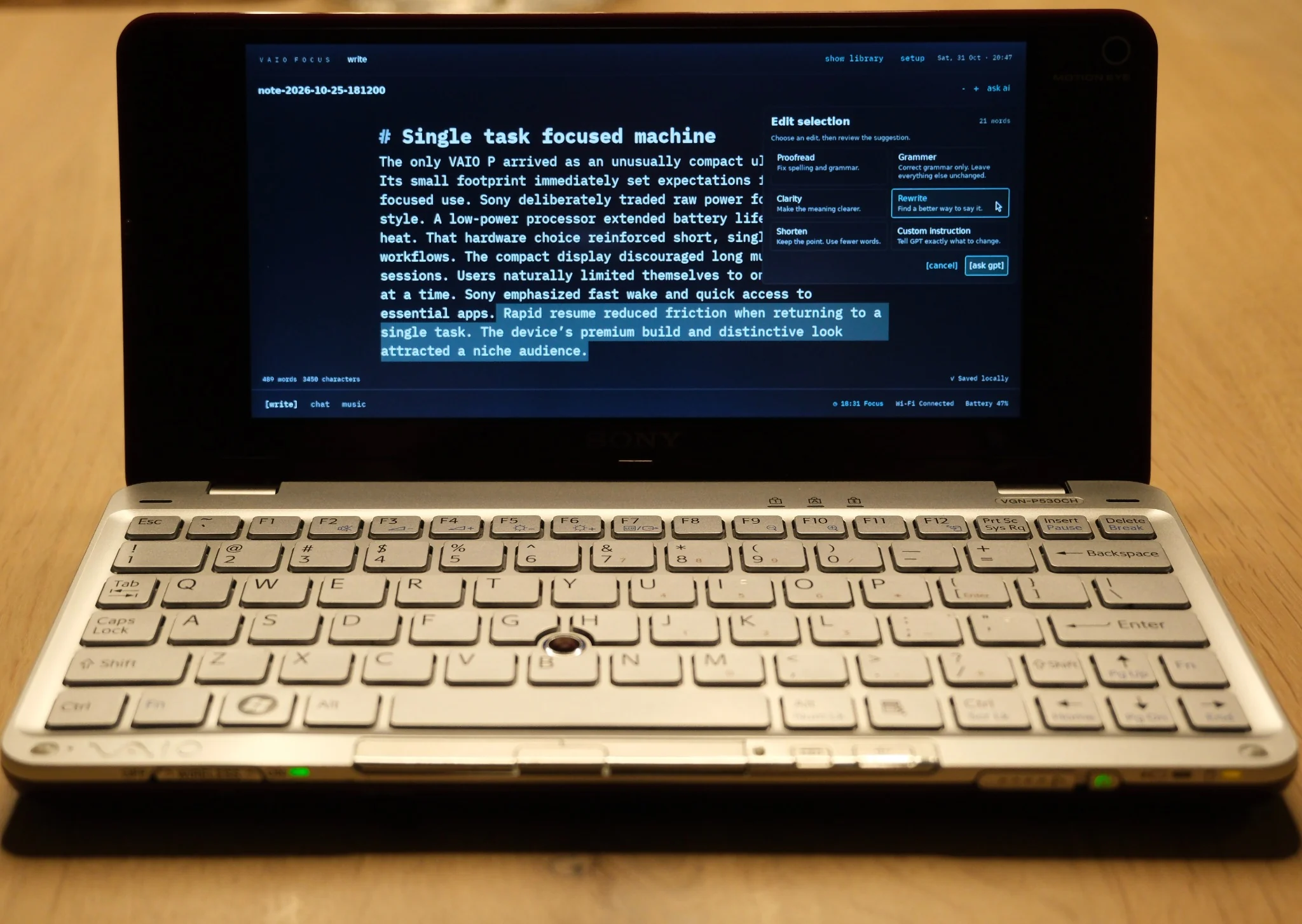
The editor borrows the clean, typewriter-like feeling of iA Writer. But there's one feature I really wanted: the ability to select a passage and ask AI to proofread, clarify, shorten, or rewrite it, then review the suggested change before accepting it. Think of a lightweight version of the editing flow in Google Docs, adapted to how I write.
Running a local language model on an old Atom laptop is obviously out of the question, so the VAIO version calls a small OpenAI model instead. That's more than enough for grammar fixes, rewriting, and simple conversations.
One small feature I particularly like: when I start a chat, it already knows about the article I'm working on. I can bounce ideas around, ask what's missing from an outline, or argue with my own draft without repeatedly copying text into another app.
The music player is much less ambitious. I have a handful of albums stored locally; I just want to play them. :) The Pomodoro timer is there for the same reason: a little structure, no extra complexity.
We also managed to shave about 15 seconds off the Linux boot time. Now the system starts in roughly 45 seconds, with another 5 seconds to open VAIO Focus. The setup uses around 140 MB of RAM and about 30% CPU during active use; I typically see processor temperatures around 33–40°C. Not bad for a machine that struggled so much with its original software.
Then I built it again
I liked the result enough that I had a slightly ridiculous thought: Codex, you know what? Build it for Mac and iPad too.
A first native iPad version came together in about 20 minutes. That still feels like an absurd moment in software development: an idea that began as a workaround for a 2009 laptop could suddenly become a small family of applications.
There are a few platform-specific differences. On Mac and iPad, I added iCloud integration and the option to use local AI models. On my iPad, Bonsai 2 27B runs fast enough to make on-device grammar checks and rewriting genuinely useful. Select a passage, ask for a fix, and keep writing—even on a flight or train ride.
The VAIO can't do that, of course, so it uses a remote model and SSH-based file sharing instead.
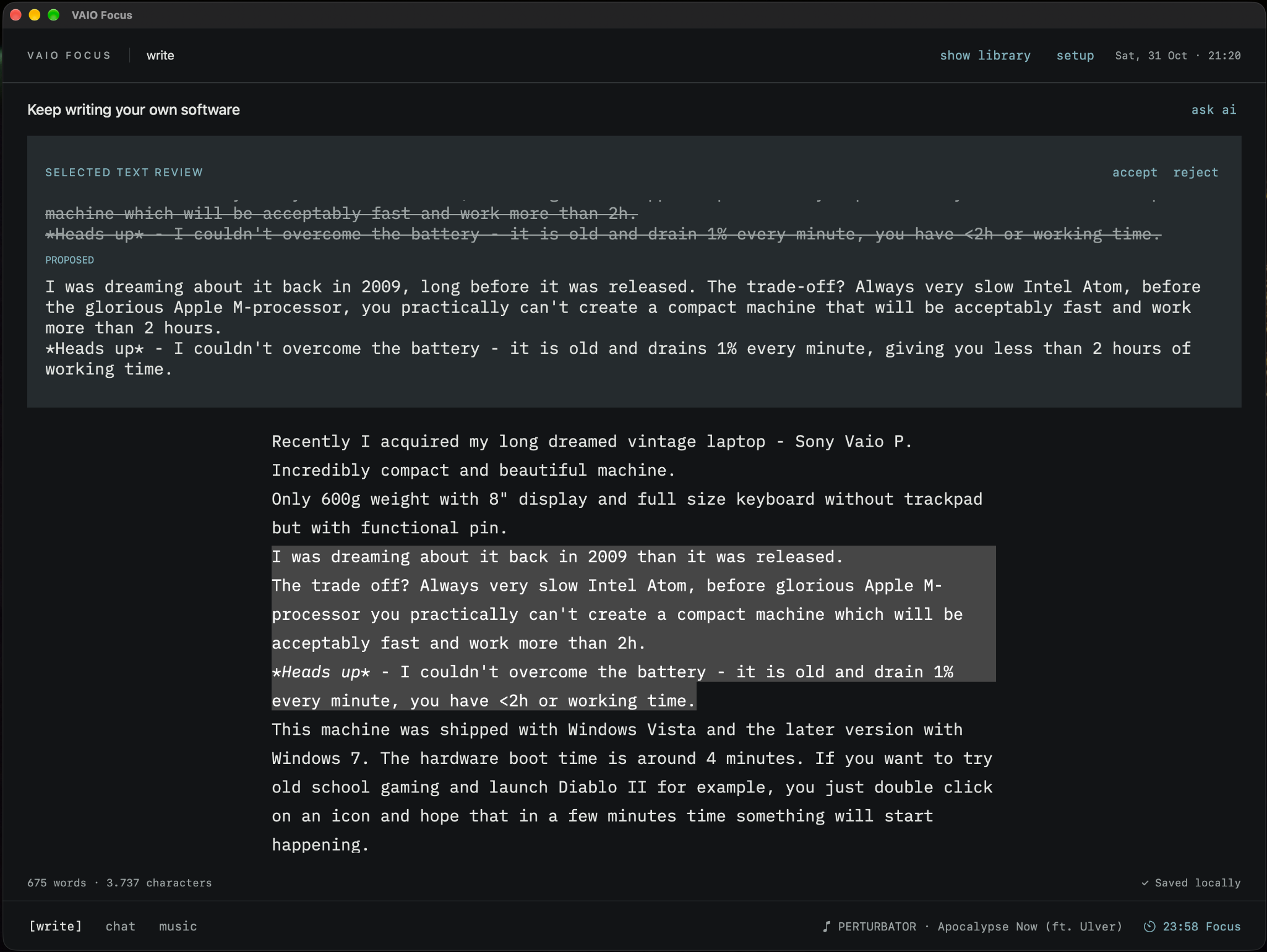
I've also become quite used to having a conversation available while I write. Not to generate the article for me, but to challenge the structure, suggest something I've overlooked, or help me find a better way to express an idea. It's a small interaction, but I missed it whenever I went back to a conventional editor.
Software for an audience of one
This little project reinforced something I've been noticing for a while: software built specifically for yourself is becoming a surprisingly practical alternative to off-the-shelf apps.
I'm seeing it elsewhere at home too. I already run a custom server for music, books, video, and backups. None of these things were impossible to build years ago, but maintaining them could easily become a hobby of its own. Coding assistants haven't removed the maintenance work, but they've made building, changing, and updating personal tools much less intimidating.
That's the part of AI-assisted development I find most interesting. Not another demo showing how quickly someone can generate an application, but the possibility of having software that fits the way you work—without having to convince a product team to build your particular feature.
Of course, this doesn't mean every custom app is better than a polished commercial one. Some things are still easier to buy, and personal projects come with their own maintenance and reliability trade-offs. But for small, specific needs, the equation has changed.
My VAIO P is still slow. Its battery is still terrible. Yet now it's a machine I genuinely want to pick up and write on.
Keep writing your own software.
Photographs and screenshots from the VAIO Focus project.